

Managing your money in college can feel like trying to solve a complex calculus problem without a calculator. Between skyrocketing textbook costs, midnight delivery runs, club dues, and trying to maintain a semblance of a social life, your bank account takes a daily beating.
If you are tired of checking your banking app only to find single digits staring back at you, you are not alone. Transitioning to financial independence is one of the hardest parts of student life. Fortunately, smart technology can handle the heavy lifting.
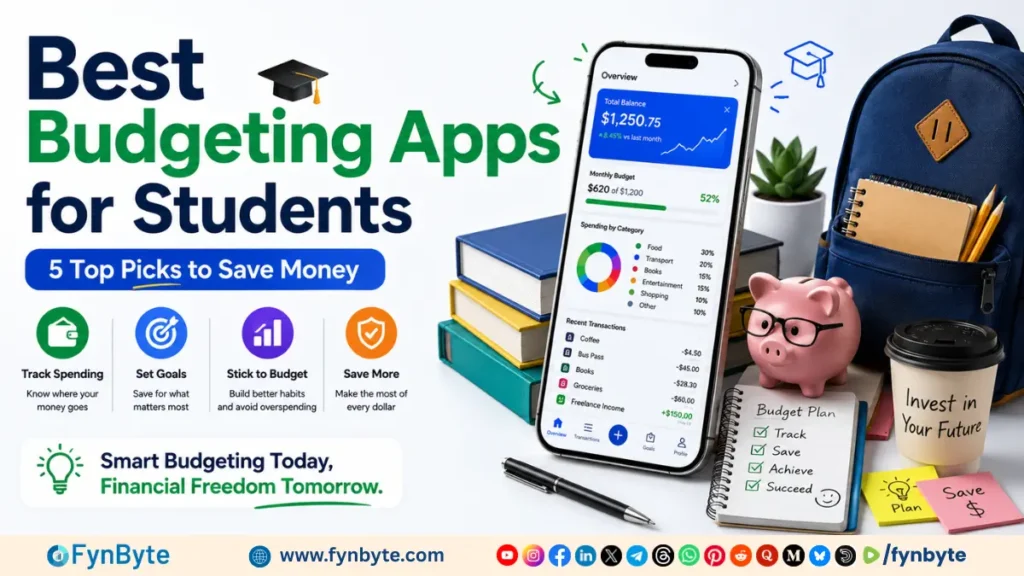
This comprehensive guide breaks down the best budgeting apps for students, evaluating their features, costs, and unique methodologies. Whether you want a set-it-and-forget-it automated system or a strict manual layout to curve your impulse spending, we have tested and analyzed the top platforms to find your perfect match.
Why Traditional Budgeting Fails College Students
Most budgeting frameworks are built for people with steady, predictable 9-to-5 salaries. As a student, your financial reality is likely much more chaotic. You might be balancing:
- Irregular income from seasonal part-time jobs or freelancing.
- Lump-sum payouts from student loans or grants at the start of a semester.
- Varying monthly expenses (high textbook costs in September, massive utility bills in winter, travel costs for spring break).
Because traditional spreadsheets struggle to map these fluctuations, specialized financial software becomes essential. Let’s look at the best tools available right now to help you stretch every dollar.
The Best Budgeting Apps for Students: Comprehensive Review
1. YNAB (You Need A Budget): Best for Transforming Money Habits
If you need to completely overhaul how you look at money, YNAB is the gold standard. It operates on a strict zero-based budgeting philosophy, meaning every single dollar you earn is assigned a specific “job” (e.g., $40 for groceries, $20 for gas, $10 for streaming subscriptions) until you have zero unallocated dollars left.
Why It Perfect for Students:
YNAB is legendary for its 1-year free trial specifically for college students. This allows you to experience premium, bank-synced budgeting for an entire academic year without paying a dime.
Its unique system is incredibly effective at handling lump-sum student loan disbursements. Instead of spending your financial aid all at once, YNAB forces you to break that large chunk down into monthly buckets, ensuring you have enough rent money left by finals week.
- Price: Free for 12 months for verified students; then roughly $14.99/month or $109/year.
- Bank Syncing: Yes, automatic sync across checking, savings, and credit cards.
- Key Feature: “Age Your Money” metric that shows how long your dollars sit in your account before being spent, helping you break the paycheck-to-paycheck cycle.
2. Finny: Best Free, Private Expense Tracker
For students who want a streamlined, highly functional app without any monthly subscription fees or invasive bank connections, Finny is an exceptional choice.
Why It Perfect for Students:
Finny offers a completely free, indefinite tier that avoids pushing users toward expensive upgrades. It doesn’t require you to link your bank account, making it perfect for privacy-conscious students. You manually log expenses in seconds, and the app works entirely offline—meaning you can log your coffee purchase even in a basement lecture hall with zero cellular service.
- Price: Free indefinitely; Finny Pro is available for $1.99/month if you want AI voice inputs and receipt scanning.
- Bank Syncing: No (Manual entry for ultimate privacy).
- Key Feature: Custom categories tailored specifically to student life (e.g., Textbooks, Campus Dining, Greek Life) alongside simple, actionable visual charts.
3. PocketGuard: Best for Preventing Overspending
If your biggest financial flaw is looking at your bank balance, seeing $200, and assuming you can spend it all on a night out—forgetting that your phone bill is due tomorrow—PocketGuard was built for you.
Why It Perfect for Students:
PocketGuard simplifies your entire financial universe down to a single, digestible number: “In My Pocket.” It connects to your bank accounts, automatically calculates your upcoming recurring bills, factor in your savings goals, and tells you exactly how much safe-to-spend cash you have left for the day or week.
- Price: Free basic version; PocketGuard Plus costs $12.99/month or $74.99/year.
- Bank Syncing: Yes, automatic tracking.
- Key Feature: Smart alerts that warn you when you are approaching your spending limits in categories like clothes or takeout.
4. Goodbudget: Best for the Digital Envelope System
Before smart devices existed, financial experts recommended the “envelope method”—putting cash into physical envelopes labeled for specific categories. When the grocery envelope was empty, you stopped buying groceries. Goodbudget modernizes this physical tactic into a digital format.
Why It Perfect for Students:
Goodbudget is fantastic for building disciplined spending habits. It forces you to be hyper-aware of your limits. The free tier offers 20 digital envelopes and can sync across two devices. This cross-device syncing makes it an excellent app for college roommates who want to split shared household expenses like groceries, toilet paper, and utilities without constant Venmo requests.
- Price: Free basic plan; Plus plan is $10/month.
- Bank Syncing: No, manual entry forces you to interact with every purchase.
- Key Feature: Clear, visual envelope status bars that change color as you approach your self-imposed limits.
5. Rocket Money: Best for Canceling Sneaky Subscriptions
Students are prime targets for free trial offers. You sign up for a streaming service, a gym membership, or an academic research tool to write one paper, promise yourself you will cancel it in 7 days, and promptly forget. Rocket Money specializes in tracking down these hidden financial leaks.
Why It Perfect for Students:
Rocket Money provides a beautiful overhead view of your cash flow while highlighting every single recurring subscription hitting your account. The app can even negotiate lower rates on your internet or cell phone bills on your behalf, saving you money automatically.
- Price: Free basic tier; premium features utilize a “pay-what-is-fair” sliding scale from $3 to $12/month.
- Bank Syncing: Yes, automatic tracking.
- Key Feature: Concierge service that will cancel unwanted subscriptions for you with a few taps.
Also Read: 10 Best Budgeting Apps In The USA Review & Comparison
Direct Comparison: Finding Your Best Match
To help you choose quickly, let’s look at how these top choices compare side-by-side across the factors that matter most to a student budget.
| App Name | Price Point | Best Feature For Students | Setup Style |
|---|---|---|---|
| YNAB | Free for 1 Year (Then $14.99/mo) | Zero-Based Allocation | Automated / Structured |
| Finny | Free Indefinitely | 100% Private, Offline Tracking | Manual / Flexible |
| PocketGuard | Free or $12.99/mo | “In My Pocket” Safe Spending Number | Automated / Quick |
| Goodbudget | Free or $10.00/mo | Shared Envelopes for Roommates | Manual / Discovered |
| Rocket Money | Free to $12.00/mo | Subscription Cancellation & Bill Cuts | Automated / Insights |
Also Read: YNAB vs Monarch Money: Which Budget App is Worth It?
Actionable Strategies to Maximize Your Student Budget
Simply downloading an app will not fix your finances; you have to utilize the tools correctly. Use this step-by-step framework to set yourself up for success this semester.
How to Build a Sustainable Student Budget
Downloading a financial app is a great first step, but a tool is only as good as the strategy behind it. To make your money last from move-in day to final exams, you need a realistic, flexible roadmap tailored to the unique chaos of campus life. Forget rigid corporate formulas—here is the simple, stress-free framework to map out your cash flow, handle irregular income, and build a student budget that actually sticks.
1. Calculate your baseline income:
Add up your total guaranteed cash flow for the semester. This includes part-time wages, parental support, and your student loan allocations minus tuition and fees.
2. Identify your non-negotiable bills:
List out your fixed monthly obligations. This includes rent, utilities, phone plans, insurance, and minimum loan payments. Subtract this total from your baseline income.
3. Allocate variable categories:
Divide your remaining cash into fluid student categories: groceries, textbooks, dining out, transport, and social activities. Use an app like YNAB or Goodbudget to enforce these boundaries.
4. Establish an emergency buffer:
Set aside a small monthly amount ($15–$25) into a separate savings bucket. Having a minor emergency fund prevents a broken laptop screen or an unexpected medical bill from derailing your entire semester.
Pro Tip: Always check for student discounts before paying for software or retail items. Your
.eduemail address can unlock massive savings on everything from laptop hardware to streaming services and transit passes.
Final Thoughts: Taking Control of Your Financial Future
The financial habits you build during your college years will set the foundation for your entire adult life. Mastering cash flow management early means you will be ahead of the curve when you graduate, step into your career, and begin paying down student debts.
Frequently Asked Questions (FAQ)
1. What is the best budgeting apps for students?
The best overall app depends heavily on your budget philosophy. If you want a comprehensive, automated system that changes your long-term money psychology, YNAB is unmatched—especially since it is completely free for your first year as a student. If you prefer a completely free, private, and manual tracking tool, Finny is the premier choice.
2. Are free budgeting apps safe to use?
Yes, reputable budgeting apps are highly secure. Platforms that link to your bank accounts (like PocketGuard or Rocket Money) use bank-level 256-bit encryption and read-only access through services like Plaid. This means the app can only read your balance and transactions; it cannot move or touch your money. If you want absolute security, choose a manual app like Finny or Goodbudget, which require zero banking credentials.
3. How can a student budget with irregular income?
The easiest way to budget with an irregular income is to use a zero-based budgeting app like YNAB or a manual envelope system like Goodbudget. Instead of forecasting what you hope to earn next month, you only budget the money currently sitting in your account today. You allocate those exact dollars to your most urgent expenses first until you get paid again.
4. Should I look for an app that links to my bank account?
Automated bank syncing is excellent for convenience, as it updates your spending in real time without manual input. However, manual entry apps force a higher level of financial mindfulness. Every time you physically type in a transaction, you confront your spending habits directly, which often curbs impulse buys.
Pick one app from this list that aligns with your lifestyle, commit to using it consistently for 30 days, and watch your financial stress disappear. Your bank account will thank you.