

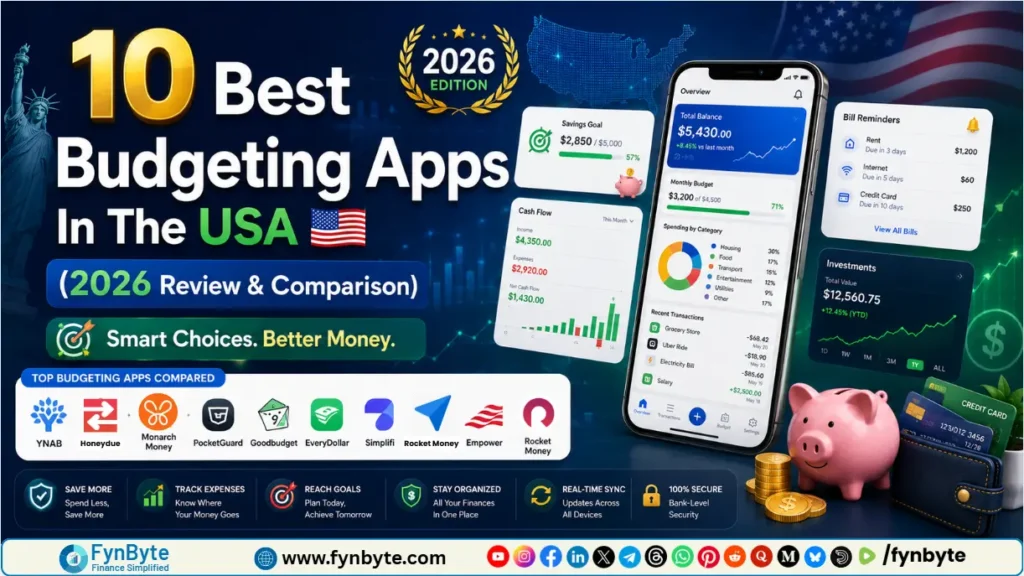

Managing money in the USA has become more complex than ever. With shifting inflation rates, rising subscription costs, and evolving investment landscapes, keeping track of every dollar is no longer optional—it’s a necessity.
While traditional spreadsheets work for some, modern financial goals require dynamic, automated, and intelligent solutions. This is where budgeting apps come in.
To help you find the perfect financial co-pilot, we have deeply analyzed and tested the top personal finance tools available in the US market. Whether you want to aggressively pay off debt, sync finances with your partner, or automate your savings, here are the 10 best budgeting apps for 2026.
10 Best Budgeting Apps in the USA: Master Your Money in 2026
1. YNAB (You Need A Budget)
Best For: Aggressive Debt Payoff & Zero-Based Budgeting
YNAB is not just an app; it’s a financial philosophy. Built entirely on the Zero-Based Budgeting (ZBB) method, YNAB requires you to give every single dollar a specific job (e.g., rent, groceries, or savings) until your available balance hits zero.
How It Works
YNAB forces you to budget only with the money you currently have, rather than forecasting future income. It connects securely to your bank accounts, imports transactions, and asks you to allocate them to customizable categories. If you overspend in one category, YNAB’s “Rule Three” encourages you to “roll with the punches” and move money from another category to cover it.
YNAB Pros, Cons & Pricing
| Pros | Cons | Pricing |
| • Highly effective for breaking the paycheck-to-paycheck cycle. • Excellent educational resources, workshops, and community support. • Extensive goal-tracking and detailed reports on net worth and spending. | • Steep learning curve for beginners. • No free tier (subscription only). • Requires active daily or weekly maintenance. | • Free Trial: 34 Days • Cost: $14.99/month or $99/year |
2. Monarch Money
Best For: Overall Premium Budgeting & Customization
Since the departure of Mint from the market, Monarch Money has emerged as the premier gold standard for comprehensive wealth and budget management. It is designed for users who want a modern, clean, and ad-free dashboard to track their entire financial life.
How It Works
Monarch allows you to sync unlimited financial accounts—including banks, credit cards, loans, investments, and real estate. It uses advanced AI to automatically clean up transaction names and categorize them. You can create highly customized dashboards, track your long-term net worth, and even collaborate with a partner at no extra cost.
Monarch Money Pros, Cons & Pricing
| Pros | Cons | Pricing |
| • Beautiful, modern, and completely ad-free user interface. • Multi-user collaboration (perfect for couples). • Flexible sync engines (uses Plaid, Finicity, and MX for reliable connections). | • One of the more expensive options on the market. • No built-in bill payment feature. | • Free Trial: 7 Days • Cost: $14.99/month or $99.99/year |
Also Read: YNAB vs Monarch Money (2026 Comparison): Which Budget App is Worth It?
3. Quicken Simplifi
Best For: Cash Flow Tracking & Seamless Automation
Developed by the veteran financial software giant Quicken, Simplifi is a lightweight, mobile-first app designed for people who find rigid budgeting categories stressful. Instead of counting every penny, it focuses on your overall Cash Flow.
How It Works
Simplifi looks at your income, subtracts your recurring bills and savings goals, and tells you exactly how much “Spending Money” you have left for the month. It dynamically updates as you spend, giving you a real-time look at your financial health without requiring manual categorization.
Quicken Simplifi Pros, Cons & Pricing
| Pros | Cons | Pricing |
| • Very low maintenance; great for automated tracking. • Excellent “Watchlists” feature to track specific spending triggers (like dining out). • Backed by Quicken’s robust security infrastructure. | • No free tier. • Investment tracking features are basic compared to desktop versions. | • Free Trial: 30 Days • Cost: $3.99/month or (billed annually at $47.88) |
4. Rocket Money
Best For: Bill Negotiation & Subscription Management
Formerly known as TrueBill, Rocket Money has evolved into a powerhouse personal finance app that excels at identifying hidden leaks in your budget—specifically unwanted or forgotten subscriptions.
How It Works
Rocket Money scans your bank and credit card statements to map out your recurring expenses. From there, it lists all your subscriptions and allows you to cancel them with a single tap. Additionally, they offer a Bill Negotiation service where their team contacts service providers (like internet, cable, or insurance) to lower your monthly rates.
Rocket Money Pros, Cons & Pricing
| Pros | Cons | Pricing |
| • Best-in-class subscription tracking and cancellation. • Automated savings accounts with customizable rules. • Includes credit score monitoring. | • The Bill Negotiation service charges a success fee (30% to 60% of the annual savings). • Free version is heavily restricted. | • Free Version: Basic tracking available. • Premium: Pay-what-you-want model ($4 to $12/month). |
Calculate Your Budget Here
50/30/20 Rule Budget Calculator
Enter your monthly take-home pay to instantly split your ideal budget.
What is 50/30/20 Rule Budeget Calculator?
A 50/30/20 Rule Budget Calculator is a financial tool designed to divide your after-tax (net) income into three specific spending and saving categories: 50% for Needs, 30% for Wants, and 20% for Savings and Debt Repayment.
5. Copilot Money
Best For: Tech-Savvy Apple Users & AI-Driven Insights
Copilot Money is a highly rated app exclusive to Apple ecosystems (iOS and macOS). It heavily leverages Machine Learning and AI to provide ultra-personalized financial insights, making it a favorite among tech enthusiasts.
How It Works
Copilot learns your spending habits over time. Instead of relying on generic transaction categories, its AI predicts how you will spend throughout the month and flags unusual transactions instantly. The interface is highly visual, utilizing sleek widgets and dark-mode designs to make data look beautiful.
Copilot Money Pros, Cons & Pricing
| Pros | Cons | Pricing |
| • Advanced AI that actually improves at categorization over time. • Stunning user interface optimized for Apple devices. • Tracks investment portfolios and crypto seamlessly. | • Not available for Android or Web browsers. • No free version. | • Free Trial: 1 Month • Cost: $13/month or $95/year |
6. Empower Personal Dashboard
Best For: High Net Worth Individuals & Investment Tracking
If your primary goal is to build wealth, track investments, and watch your net worth grow rather than micromanaging daily grocery receipts, Empower (formerly Personal Capital) is the absolute best choice.
How It Works
Empower acts primarily as a wealth management tool. It aggregates all your financial accounts to analyze your asset allocation, retirement readiness, and hidden investment fees. While it does include basic cash-flow and budgeting tools, its real power lies in its Retirement Planner and Fee Analyzer.
Empower Pros, Cons & Pricing
| Pros | Cons | Pricing |
| • 100% Free to use for financial tracking. • Exceptional investment, 401(k), and IRA analysis tools. • Robust desktop and mobile experience. | • Weak daily budgeting tools (cannot set granular category budgets). • You may receive sales calls from Empower’s human wealth advisors if your portfolio is over $100k. | •Cost: Completely Free. |
7. EveryDollar
Best For: Simple Dave Ramsey Fans
Created by personal finance guru Dave Ramsey, EveryDollar is another app built around the zero-based budgeting framework. It is structurally aligned with Ramsey’s famous "Baby Steps" program for building wealth and eliminating debt.
How It Works
EveryDollar keeps budgeting incredibly clean and linear. You put in your monthly income at the top, and manually or automatically allocate it into specific rows until you hit zero. It intentionally avoids complex investing or net worth features to keep users laser-focused on their immediate spending behavior.
EveryDollar Pros, Cons & Pricing
| Pros | Cons | Pricing |
| • Very straightforward and distraction-free interface. • Integrates seamlessly with the Dave Ramsey financial philosophy. • A functional free version is available for manual entry. | • The Premium version (bank syncing) is relatively expensive. • Lacks advanced automated financial insights. | • Free Version: Available (Manual transaction entry only). • Premium Version: $12.99/month or $79.99/year. |
8. PocketGuard
Best For: Overspenders Seeking a Simple "In My Pocket" Number
If you find yourself constantly opening your banking app to see if you can afford a dinner out, PocketGuard is designed specifically for you. Its goal is to stop you from overspending before it happens.
How It Works
PocketGuard connects to your accounts, calculates your income, and subtracts your bills, savings goals, and current debts. The number left over is displayed prominently as your "In My Pocket" balance. This is the safe amount of cash you can spend right now without hurting your financial future.
PocketGuard Pros, Cons & Pricing
| Pros | Cons | Pricing |
| • An unambiguous, clear number that acts as a guardrail against overspending. • Features a "Debt Payoff Planner" using the Avalanche or Snowball methods. • Clean, uncluttered dashboard. | • The free tier limits you to only two main budget categories. • Syncing can occasionally experience lag with smaller regional banks. | • Free Version: Limited features. • Premium Version: $12.99/month, $74.99/year, or a $149.99 Lifetime access option. |
9. Honeydue
Best For: Couples Looking to Manage Money Together for Free
Managing finances in a relationship can lead to friction. Honeydue is a collaborative budgeting app designed to promote transparency and communication between couples without making them merge their bank accounts entirely.
How It Works
Both partners download the app and link their respective accounts. You can choose exactly how much information you want to share with your partner (e.g., share the balances but hide specific transaction details, or share everything). The app allows you to set up joint limits, track shared bills, and even send emojis/comments on specific transactions.
Honeydue Pros, Cons & Pricing
| Pros | Cons | Pricing |
| • 100% Free with no hidden fees. • Encourages financial transparency while maintaining individual privacy. • Built-in chat feature to discuss bills directly inside the app. | • The interface looks a bit dated and can occasionally display bugs. • No advanced investment or long-term retirement tracking. | • Cost: Completely Free (Supported by voluntary user tips). |
10. Goodbudget
Best For: Digital Envelope System Enthusiasts
Before smartphones, people used physical paper envelopes stuffed with cash to budget. Goodbudget updates this timeless method for the digital era. It is perfect for people who want to stick to a strict, visual budget structure.
How It Works
Instead of connecting directly to your bank account via APIs, Goodbudget asks you to manually input your account balances and distribute them into virtual "envelopes" (e.g., $400 for groceries, $150 for gas). Every time you spend money, you manually deduct it from that specific envelope.
Goodbudget Pros, Cons & Pricing
| Pros | Cons | Pricing |
| • Encourages highly mindful spending habits due to manual transaction entry. • Great for sharing a budget across multiple devices (e.g., spouses). • Excellent for teaching teenagers or students financial accountability. | • No automated bank syncing available (requires manual uploads or entries). • Can feel tedious and time-consuming for busy individuals. | • Free Version: Includes 20 envelopes and tracks up to 2 devices. • Premium Version: $8/month or $70/year (Unlimited envelopes). |
Best Budgeting Apps Comprehensive Head-to-Head Comparison Table
To help you quickly scan and compare your options, here is a breakdown of how the top 5 best budgeting apps stack up against each other:
| App Name | Best Suited For | Bank Syncing? | Key Feature | Pricing (Annual) |
|---|---|---|---|---|
| YNAB | Debt Payoff / Zero-Based | Yes | Rules-based budgeting philosophy | $99/year |
| Monarch Money | Premium / Modern All-in-One | Yes | Multi-user collaboration & clean UI | $99.99/year |
| Quicken Simplifi | Cash Flow / Automation | Yes | Real-time "Spending Money" tracker | $47.88/year |
| Rocket Money | Subscription Canceling | Yes | Concierge bill negotiation | Pay-what-you-want ($4-$12/mo) |
| Empower | Net Worth / Investors | Yes | Investment fee analyzer & retirement planner | Free |
Before Choosing a Budgeting App do This
To match your specific user intent, ask yourself these three critical questions before signing up for a trial:
1. Do you want Automated or Manual Tracking?
If you want to set it and forget it, look for apps with robust AI-syncing capabilities like Monarch Money or Quicken Simplifi. If you need the psychological friction of entering transactions manually to keep your spending in check, go with Goodbudget or the free tier of EveryDollar.
2. What is your primary financial goal?
- If your goal is getting out of debt, YNAB is the undisputed champion.
- If your goal is long-term wealth building, select Empower.
- If you want to cut down on wasteful recurring bills, Rocket Money is your best bet.
3. Are you budgeting solo or as a team?
For couples who want a shared financial ecosystem, Monarch Money offers seamless cross-login setups, while Honeydue provides a free, highly private alternative.
How to Choose the Right Budgeting App for Your Needs
Choosing the right budgeting app starts with understanding your spending habits, financial priorities, and the features that fit your lifestyle best.
1. Identify Your Financial Goals
Start by identifying your financial goals, whether it’s paying off debt, saving money, or tracking expenses.
• If you want to reduce recurring expenses/waste
• If you want a big-picture view and net-worth tracking
2. Match the App to Your Budgeting Style
Different budgeting apps are designed around different money-management styles.
• Zero-Based Budgeting
• Envelope Budgeting
3. Decide Between Automation and Manual Tracking
Choose whether you prefer a fully automated system or a more hands-on budgeting approach.
• Automated
• Manual
4. Compare Costs and Features
Many budgeting apps provide free basic plans, while premium versions include advanced features like bank syncing, debt tracking, and unlimited budgeting categories.
• Free Vs Paid
• Key Features
The Verdict
There is no single "perfect" budgeting app, but there is an app that is perfect for your specific financial behavior.
If you are looking for a complete, beautifully designed command center for your money and don't mind paying a premium, Monarch Money is our top overall recommendation for 2026. However, if you are looking to aggressively attack your debts and build disciplined spending habits, YNAB remains an unmatched choice. Download a few free trials today to discover which interface aligns best with your financial goals!
Frequently Asked Questions
1. Are budgeting apps safe to link to my bank accounts?
Yes, most reputable budgeting apps are highly secure. Apps like Monarch Money, YNAB, and Quicken Simplifi do not store your banking passwords. Instead, they use secure, read-only aggregators like Plaid or Finicity. This means the app can only read your transaction history to categorize it; it cannot move, withdraw, or transfer your money.
2. Is there a completely free budgeting app that connects to banks?
Yes, Empower Personal Dashboard is completely free and automatically syncs with your bank accounts, credit cards, and investments. Its primary focus is wealth and net worth tracking. For couples, Honeydue is another excellent free option that syncs accounts to help partners manage shared expenses.
3. Why did Mint close, and what is the best alternative in 2026?
Mint was officially shut down by Intuit to shift users toward Credit Karma, which lacks granular daily budgeting tools. As of 2026, Monarch Money and Quicken Simplifi have emerged as the best overall alternatives for former Mint users due to their clean interfaces, robust bank syncing, and easy data-import tools.
4. What is the difference between YNAB and traditional budgeting apps?
Traditional apps are reactive—they show you where you already spent your money at the end of the month. YNAB is proactive; it uses the Zero-Based Budgeting method, forcing you to allocate every dollar you currently own to a specific future expense. It prevents overspending before it actually happens.
5.Can I use these budgeting apps if I am an Android or Web user?
Most apps listed—including YNAB, Monarch Money, Quicken Simplifi, and Rocket Money—have seamless web browsers and Android apps. However, Copilot Money is currently an exception, as it is exclusively built for the Apple ecosystem (iOS and macOS).
6. Do budgeting apps help improve my credit score?
Directly, no—budgeting apps do not automatically report to credit bureaus. However, indirectly, they are highly effective. By helping you track due dates, avoid late fees, and aggressively pay down credit card balances, using a budgeting app will naturally improve your credit utilization ratio, which boosts your score.
7. How does Rocket Money’s bill negotiation work?
When you request a bill negotiation, Rocket Money's concierge team contacts your service providers (like Comcast, Verizon, or AT&T) to negotiate lower rates or find hidden discounts on your behalf. They do not charge an upfront fee; instead, they take a percentage (usually 30% to 40%) of the total yearly savings they successfully secure for you.
8. Is manual budgeting better than automatic syncing?
It depends on your behavioral habits. Automatic syncing saves time, eliminates human error, and is ideal for busy people. Manual budgeting (using apps like Goodbudget or EveryDollar Free) creates "psychological friction." Because you have to type in every purchase, you become far more mindful of your spending habits.
9. What are the best budgeting apps in the USA?
The best budgeting apps in the USA vary depending on your specific financial goals and budgeting style. The top-rated platforms include:
• Best for Total Financial Command & Premium UI: Monarch Money. It offers seamless multi-account syncing, completely ad-free dashboards, and collaborative tools for couples.
• Best for Aggressive Debt Payoff: YNAB (You Need A Budget). It uses the strict zero-based budgeting method, requiring you to give every single dollar a job.
• Best for Automating Cash Flow: Quicken Simplifi. It tracks your upcoming bills and automatically tells you exactly how much "spending money" you have left in real time.
• Best for Tracking Net Worth (Free): Empower Personal Dashboard. It is a 100% free app focused heavily on wealth building, 401(k) tracking, and retirement planning.
• Best for Lowering Bills: Rocket Money. It automatically tracks hidden subscriptions and provides a concierge service to negotiate cheaper rates on your bills.
10. What is the best free budget app?
Empower Personal Dashboard is widely considered the best 100% free budgeting and wealth-tracking app in the USA. It allows you to link unlimited financial accounts, track your real-time net worth, analyze hidden investment fees, and plan for retirement without charging a subscription fee.
Other excellent free alternatives include:
• EveryDollar (Free Version): Best for simple, manual zero-based budgeting.
• Honeydue: Best 100% free app designed specifically for couples to manage shared expenses.
• Goodbudget (Free Tier): Best for digital envelope budgeting (up to 20 virtual envelopes).